Should I Take An Online Class or An Onsite Class?
AYM 4 Training offers hands-on training with the option of attending a virtual live online classroom, or bringing an instructor onsite, to your location. All classes, both online and onsite, are lead by an instructor, in a live, interactive training environment.
We offer training for private and corporate clients, using pre-determined curricula, or a customized syllabus - depending on our student's needs.
Our Online Classes are Different From The Others
In most online training situations, the student watches pre-recorded instruction, and follows tutorials, or step-by-step guides to practice the contents of the lesson. Our online classes are presented with a LIVE instructor in the virtual classroom with you.
Our virtual classrooms allow students to view the teacher's computer desktop, and share their own desktop with the teacher. The teacher or student can even have the option to control the other's computer from their remote location. This secure, interactive interface includes voice communication as well, via a computer headset, or a telephone conference connection.
Additionally, online classes will never be canceled for low enrollment. Your schedule is secure, making your time easier to manage.
Note: Recommended for Adobe Training, and Microsoft Training, or for those classes in which the student already has experience with basic computing, Mac or Windows skills
In this way, students can take advantage of a complete classroom experience, while avoiding the commute and time away from the home or office
Our On-site Training
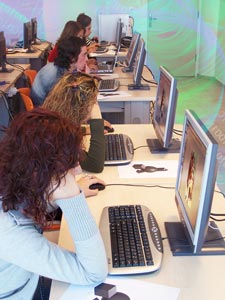 For those who prefer the more conventional approach to computer training, we offer instruction onsite, at your location. This method is particularly appropriate to those clients who require training for more students than the online interface permits, or who can not meet the system requirements for the online training.
Recommended for any student. Working onsite is also an excellent option for application instruction.
We offer the option of learning from a pre-created, generalized syllabus, or customized training. Our instruction is offered to business and individuals, at our client's location.
Our On-Site course offerings may use a pre-designed syllabus, or because onsite courses are provided for you or your group alone, courses can be structured to include only the information specific to your needs, and can be provided at a pace to suit your group's needs.
Our students are not forced to learn information that may not suit their purpose, nor are they required to learn according to a pre-structured course outline, as they do in classes run by some computer schools. There is no need for our students to feel they miss information, because the class is moving along too fast, nor must their attention span be compromised by repeated coverage of information they already understand. We conform to your needs, and your speed. Our onsite courses can also be scheduled very flexibly, to suit your needs.
Onsite classes are particularly useful for students who are very unfamiliar with the computer, or who can not accommodate our practical or technical requirements.
Note: Recommended for students at any level of experience. Working onsite enables us to more closely support the learning of basic computing classes, Mac Basics, or Windows Basics. However, it is also an excellent option for application instruction, as provided in the Adobe or Microsoft classes.
Which is Right For You?
Classes are offered in both Online and Onsite formats. Students attending Online classes should be comfortable with manipulating their computer's mouse, and clicking with reasonable accuracy, as well as having a reasonable ability with the keyboard. Please click here to view the technical requirements for our Online Classes.
Most of our Online classes are offered in 4 hour segments, instead of many school's full day classes. This allows students to have some time between meetings, to practice the lessons they've learned, and ask pertinent questions in their subsequent sessions. Other schools' "full day" classes are 6 hours of instruction. Our "full day" consists of two four hour segments - a total of 8 hours per instruction day! We can also offer full 8 hour instructional days, and 6 hour classes, to suit your needs.
Our regular classes are offered using the curriculum listed for each course. However any class can be customized for students who register for our "One-On-One" classes, or "Customized" sessions.
The option for a guaranteed single-person online course is also available, as well as the opportunity to offer customized curricula to individuals or groups. Please contact us directly to make these specific arrangements. Back to Top
Our Teaching Philosophy
Our teaching philosophy is based on the idea that "memorization" is not practical, when making the best use of the computer and computer software. We believe that when one uses a "by rote" approach, and depends too much on memorizing the steps required to achieve a goal, one will never obtain the knowledge required to meet or exceed that goal. Working with the computer requires the development of reasoning skills, and an understanding of what one may expect in a program. In this way, students can learn to work with their software independently. They can access their own creativity, and not be hindered by trying to remember "steps".
We are dedicated to providing our students with the tools and knowledge required to utilize their computers and software to fulfill their needs now, and in the future. Back to Top
Who Are We
We are the training division of About Your Macintosh... and the Photoshop instruction portion of AYM 4 Training, which has been owned and operated by Stephanie Gans, since 1996, and is based in Granada Hills, CA.
We offer both On-Site (at client's location) and Online, Live software instruction. Our clients benefit from the convenience of avoiding Los Angeles traffic hassles, as well as the productivity benefits of remaining at their own location.
We offer structured syllabi, and customized instruction, with the flexibility to meet our client's individual requirements.
About Our Main Instructor
 Stephanie Gans has been the owner of a Los Angeles computer consulting, training, and design company since 1995. She is an Adobe Certified Expert (ACE) - Photoshop, and Adobe Certified Instructor (ACI) - Photoshop with extensive experience teaching the use of computer applications to corporate and private clients. She holds a California Designated Subjects Vocational Education Teaching Credential (Graphics and Printing Applications, Computer Applications, and Computer Service and Repair) and has experience teaching at the college and high school level, as well as having taught as a contract instructor for some of the top training companies in the United States. She is also a charter member of the National Association of Photoshop Professionals.
Stephanie is originally from New York, where she obtained a B.A. in Psychology from Skidmore College, with a minor in Theater. After moving to California, Stephanie worked in several unfulfilling jobs, trying to find the right fit for her. The advent of computer software provided the tools with which she could feel comfortable and confident. It was both through her business needs, and out of personal interest, that Stephanie became proficient with the Adobe Suite of software, as well as Microsoft Office and many other software applications.
When Stephanie’s consulting clients asked for assistance with their software, she began to teach what she knew. When they had design needs, Stephanie provided these as well. She found that having learned her computer and design skills in her adulthood provided a great benefit to her teaching methodology, by enabling her to teach difficult technical concepts, using plain, understandable English. Her background in Psychology and Theater provide Stephanie with a unique ability to express herself in a variety of ways, giving her the flexibility to teach a broad range of students, with varying levels of skills and needs.
Our Training Client List has included:
- Academy of Computer Technology
- Accelebrate
- Berkeley Training
- Burbank Unified School District
- College of the Canyons
- CompuMaster Training
- Compumatics, Inc.
- CompUSA
- Courtesy Career College
- Crane Aerospace
- Getty Research Institute
- Getty Trust
- Los Angeles Unified School District
- Learning Tree University
- Medtronic Diabetes
- Moviola Education
- Mt. Sierra College
- MTV Networks
- Pasadena Unified School District
- Sonic Training
- Sterling Ledet & Associates, Inc.
- The Enterprise University (CCT)
- Training Connection, Inc.
- Video Symphony Entertraining, Inc.
- Wang Laboratories
- Webucator
Class Policies
Onsite class appointments are issued with minimal time limitations. (varies per appointment, location, and client needs)
For Onsite Classes, for Los Angeles area clients, a 72 hour (standard business hours) notification of cancellation or reschedule is required. If notification is received in fewer than 24 (standard business) hours from the scheduled appointment, or if the appointment is "no show", billing will be incurred for the full scheduled appointment period. Out of area client notification requirements are different and will be discussed at the time of appointment.
For Online Classes, we require a 5 day notification(standard business hours) of cancellation or rescheduling, to receive a full refund. If notification is within 3-5 days, clients will receive a 50% refund. If notification is received 24-48 hours before class, clients will receive a 20% refund. No refund will be issued, if notification is received fewer than 24 hours prior to the beginning of class. Student "No Shows" will not receive a refund.
Standard business hours are considered to be Monday - Friday 9am-5pm). This is for the purposes of notification of cancellation or rescheduling. Classes may be scheduled outside these hours.
If clarification is needed on these issues, please ask when you schedule your appointment. Back to Top
Class Requirements
Online Class Requirements
Prior to your scheduled online class, you will receive an email with instructions as to how to set up for the class, and how to enter your virtual classroom. It is the student's responsibility to have reviewed and completed the setup instructions. Students must also ensure that they they fulfill the requirements below for their individual class. Failure to perform the setup instructions, or confirm conformance to the requirements listed will exempt students from our refund policy.
Practical Requirements For Online and Onsite Classes
with the exception of One-On-One Sessions
- Basic Computing Skills, including:
- The ability to control the mouse, to click, and to double-click
- The ability to open the web browser and follow basic instructions (provided via email, prior to class) to enter the virtual classroom
- The ability to receive emailed instructions and confirmations Sufficient knowledge to follow directions for opening and saving files created on the computer
- The ability to extract downloaded .zip files to a known location
- The ability to copy files from a CD, where applicable
- Each student must have the applicable program installed on the computer on which they intend to connect to the virtual classroom. For students who do not own the software version they wish to learn, demo versions are often available from the software vendor's website, and are generally usable for 30 days. This is sufficient for the class's needs.
Technical Requirements For Online Classes
Depending on the class, our Virtual Classroom may be taught using either the Adobe Connect interface, or the Go To Meeting interface. You will be advised regarding your class's interface in your setup email (or in an additional communication).
Please note: At our discretion, we may change our online class user interface. Please review the instructions in your introductory email.
Below are the minimum technical requirements for each interface:
For Adobe Acrobat Connect
(Note: Technical Requirements may change. To view up-to-date information, please visit Adobe's Website)
Windows
- Microsoft® Windows® XP Professional or Home Edition with Service Pack 2 or Windows Vista®
- Internet Explorer 6 or 7 (or)
- Netscape Navigator 8.1 (or)
- Mozilla Firefox 1.5.04
- Macintosh
- Mac OS X v10.4
- Safari 2.0 (or)
- Mozilla Firefox 1.5.03
- Additional Requirements
- Adobe® Flash® Player 8 or 9
- Broadband connection
- Cookies enabled in your web browser
For Go To Meeting
(Note: Technical Requrements may change. To view up-to-date information, please visit GoToMeeting's Website)
For PC-based Users
- Required: Windows® 2000, XP, 2003 Server or Vista
- Required: Internet Explorer® 6.0 or newer, or Mozilla® Firefox® 2.0 or newer
- (JavaScript™ and Java™ enabled) Internet Connection
- Required: Cable modem, DSL, or better recommended
- Recommended: Minimum of Pentium® class 1GHz CPU with 512 MB of RAM (2 GB of RAM for Windows Vista)
For Mac-based Users
- Required: Mac OS® X 10.4 (Tiger®) or newer
- Required: Safari™ 3.0 or newer, Firefox 2.0 or newer; (JavaScript and Java enabled) Internet Connection
- Required: Cable modem, DSL, or better recommended
- Required: PowerPC G4/G5 or Intel processor, 512 MB of RAM or better recommended
- To Use VoIP
- Required: Fast Internet connection (384 kbps or more recommended)
- Required: Microphone and Speakers (USB headset recommended)
For Online students who require assistance with their class setup, we can set up your online session in just a few minutes with a quick telephone call.
Requirements for assistance setting up the Online Class:
- Windows®XP, Server 2003, Vista or later; or Mac OS® X 10.4 or later (no other operating systems are supported at this time)
- Internet Explorer, Netscape Navigator 4.0 or later, Mozilla Firefox 1.0 or later or Safari™ 1.3 or later
- A Broadband Internet Connection (eg: DSL, Cable Modem, FiOS, U-Verse, etc.)
Note: With the exception of our Macintosh and Windows Basics class: due to the amount of material we cover in class, we do require students to be comfortable using a mouse, opening and saving files, and the general operations of computers. While we will make every reasonable effort to help, students with insufficient skills may be required to observe the class lessons or do their best to keep up without slowing down the rest of the class. If you feel you need specific assistance to get "up to speed" please contact us, so we may assist you in your preparation.